Beat Brigade












ABOUT
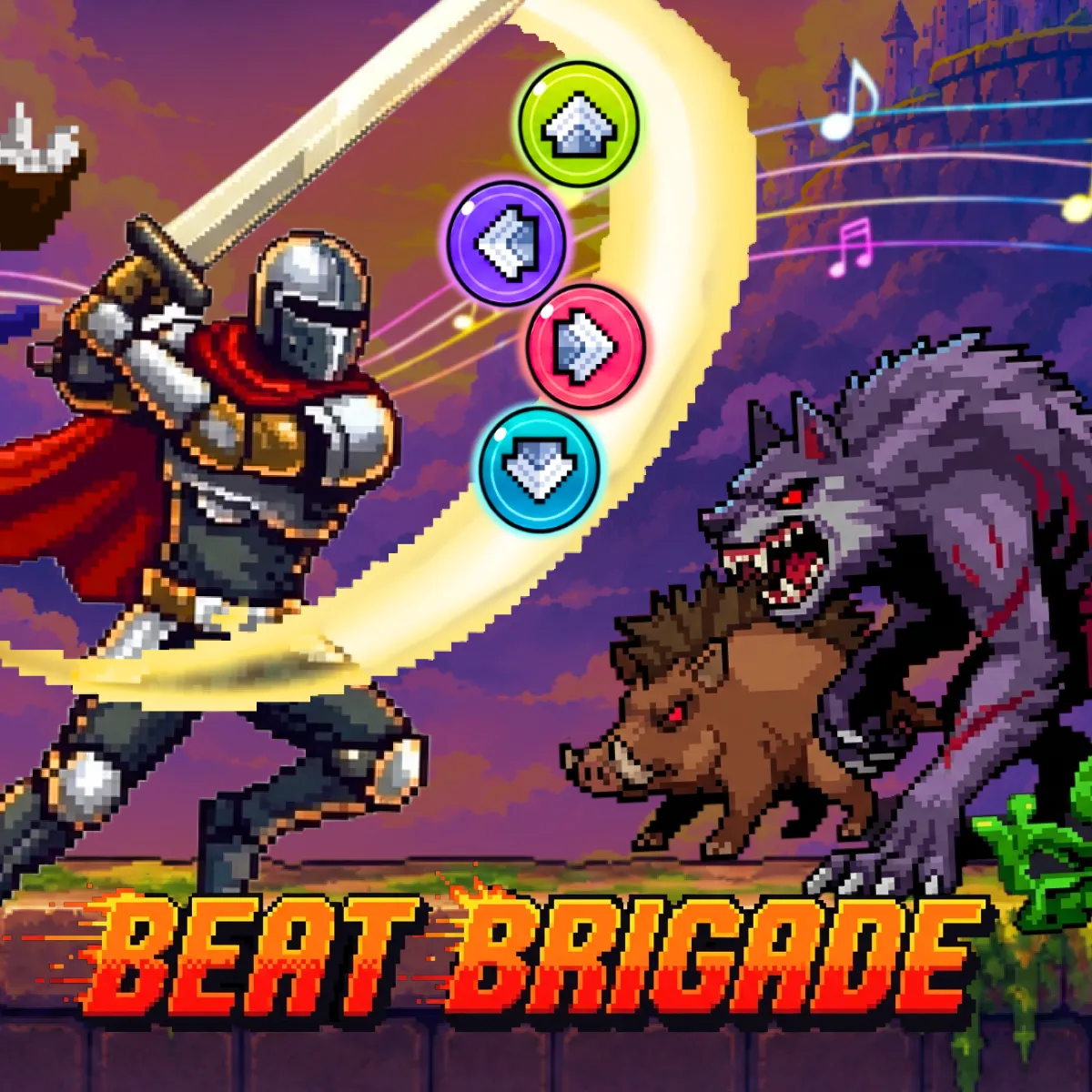
Beat Brigade is a rhythm action game where every incoming monster represents a musical note. Time your attacks to the soundtrack, build combos, and take on a boss at the end of each song. With 30 tracks across five zones, there’s plenty to learn before you make a run at the global rankings.
Monsters approach your anime-style hero from the right in four fixed rows. Each arrow tells you which key to press, and the ring around your hero shows you when to strike. A well-timed attack earns a Perfect hit. The basic inputs are easy to learn, and faster tracks test how quickly you can switch between taps, holds, and two-key attacks.
HOW TO PLAY BEAT BRIGADE
- Choose a song and select Easy, Normal, or Hard. Start with the no-fail Tutorial if you’re new to the game.
- Read each monster’s arrow as it approaches your hero.
- Press the matching key when the monster reaches the ring.
- Chain accurate hits to build your combo and fill the Fever gauge.
- Clear the boss finale to finish the track and earn coins.
Meet the enemies
- Slimes — Tap the indicated key once.
- Snails — Hold the matching key for the long note.
- Ogres — Press the indicated key four times.
- Twin Eyes — Press both indicated keys at the same time.
- Fire Skulls — Let them pass without attacking.
Boss battles and Rush
Hit the glowing Rage monsters near the end of a song to open the Rage Gate. When Rush begins, press Space or click rapidly to unleash a flurry of attacks. Land the finishing blow to earn coins.
Health, combos, and Fever
Missed notes cost HP, and hearts restore it. Consecutive hits earn combo points, while a full Fever gauge doubles your score. If your health runs out, you can revive once with full HP or end the song and keep the XP you’ve earned.
CONTROLS
Gameplay Controls
- ↑ or W — Hit the top row.
- ← or A — Hit the second row.
- → or D — Hit the third row.
- ↓ or S — Hit the bottom row.
- Space or rapid mouse clicks — Attack during Rush.
- Esc or P — Pause during a song.
Menu and results shortcuts
- Menus — Use the arrow keys to navigate, Enter to select, and Esc to go back. You can also click menu buttons and the on-screen Pause button.
- Main menu — M opens Missions, C opens Collection, H opens Achievements, P opens Profile, R opens Ranking, and O opens Goals.
- Results screen — Press R to retry, N for the next song, L for the song list, or H to return home.
- Touch — Tap to navigate menus. Songs require a keyboard.
KEY FEATURES
- 30 songs across five zones — Explore different backdrops, soundtracks, and bosses.
- 42 heroes and 10 pets — Collect characters and companions with skills that can help you during runs.
- Three difficulty levels — Play on Easy, Normal, or Hard, or practice in the no-fail Tutorial.
- Missions and rewards — Complete daily and weekly missions, open bonus chests, and work toward three-star goals and 11 medals.
- Weekly Challenge — Play a featured song each week for a chance to earn coins and Champion frames.
- Glory leaderboards — Compare your scores in the Today, This Week, and This Month rankings.
TIPS FOR HIGHER SCORES
- Read ahead. Look at the next arrow while you finish the current note. Spotting a Snail or Twin Eyes early gives you time to prepare the right input.
- Find the timing before moving up. Start on Easy and aim for steady combos. Move to Normal or Hard once you can keep your timing through the busier sections.
- Retry a track while it’s fresh. Press R on the results screen and focus on the sequence where you lost your combo.
SIMILAR GAMES